
A driver who has just bought a new car lands on your paint protection film page. They see three package names and several close-ups of polished paint. What they’re trying to figure out is simpler. Which parts of the car would you cover, and what would the finished installation look like?
That question is easy to answer with a customer standing next to the car. A strong PPF service page brings some of that conversation online. It gives the driver enough information to compare your packages and send an inquiry that your team can actually use.
Put the Covered Panels Next to Each Package Name
Names like Full Front and Track Package are useful labels, but shops may use them for different combinations of panels. Under each name, spell out your own coverage. If a package covers the full hood, front bumper, and front fenders, say so. If mirrors, rocker panels, or headlights are optional, make those distinctions easy to find.
Use the same illustration or vehicle angle for each package so readers can compare coverage at a glance. Pair the illustration with a short panel list that stays readable on mobile. If a specific trim or vehicle shape changes the scope, mention that the final coverage is confirmed during the estimate.
Show Close-Ups That Explain the Finished Work
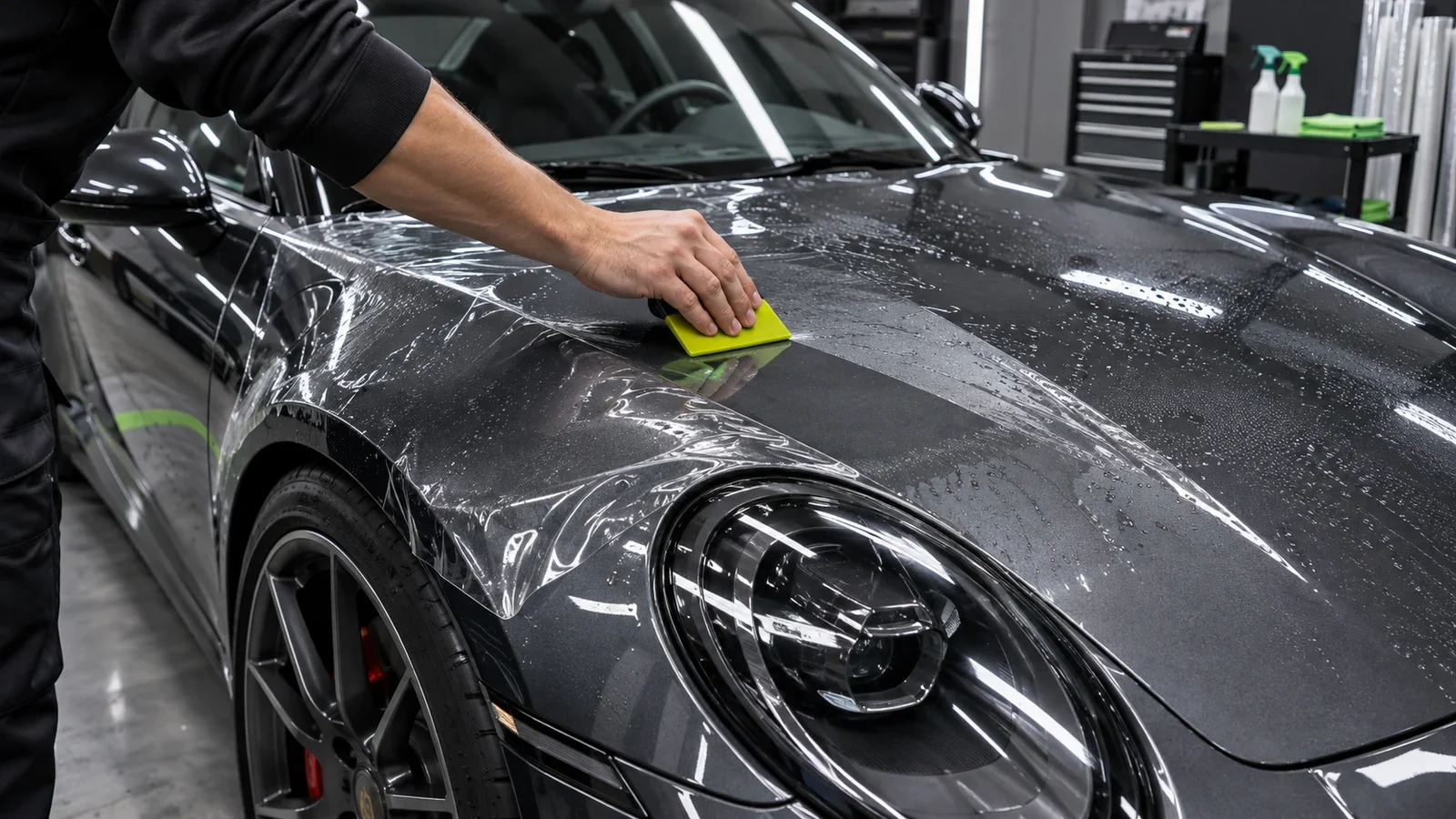
A wide photo helps the reader picture the result, especially on a car they recognize. Add closer images that answer questions customers bring to the shop. A photo of the hood edge can show how your team finished that particular installation. An angle near the bumper can illustrate a detail that disappears in a wide shot.
Write captions that identify the vehicle, the coverage installed, and what the photo shows. If the image features a matte film or a finish change, say so. Photos of your own installs give you the details to explain what the customer is seeing and set accurate expectations for their vehicle.
Ask Dmarketzone to review whether customers can understand your PPF packages from their phones.
Give Pricing Context Before the Form
Some shops publish starting prices. Others need to see the vehicle or confirm the coverage first. Either way, explain how you build the estimate. Vehicle size, the panels selected, film finish, and any prep your team needs to evaluate can affect the scope.
If you show a starting price, place it alongside the package it describes and clarify what it includes. If your team quotes individually, explain what the customer can send to get a useful estimate. A short paragraph can address these questions without turning the page into a pricing chart for every model you work on.
Ask for Information Your Estimator Will Use
A practical quote form can start with the year, make, model, preferred coverage, and contact information. Offer an “I’m not sure yet” option for the driver who understands the packages but wants guidance. If photos help your shop assess the vehicle, provide a way to share them or tell customers how to send them after the first reply.
Read the page on a phone with one question in mind. Could someone pick a starting package and know what happens after submitting the form? If the answer is yes, your estimator can begin the conversation with the vehicle and coverage instead of walking through the whole menu from scratch.
Talk to Dmarketzone about building a PPF page that helps drivers compare coverage and request a more specific estimate.
